
Run your office AFL tipping comp on Slack, right where your team already hangs out
Free for the 2026 AFL season
Complete footy tipping for you and your team in Slack
From first bounce to final siren — all inside your Slack channel.
Round opens
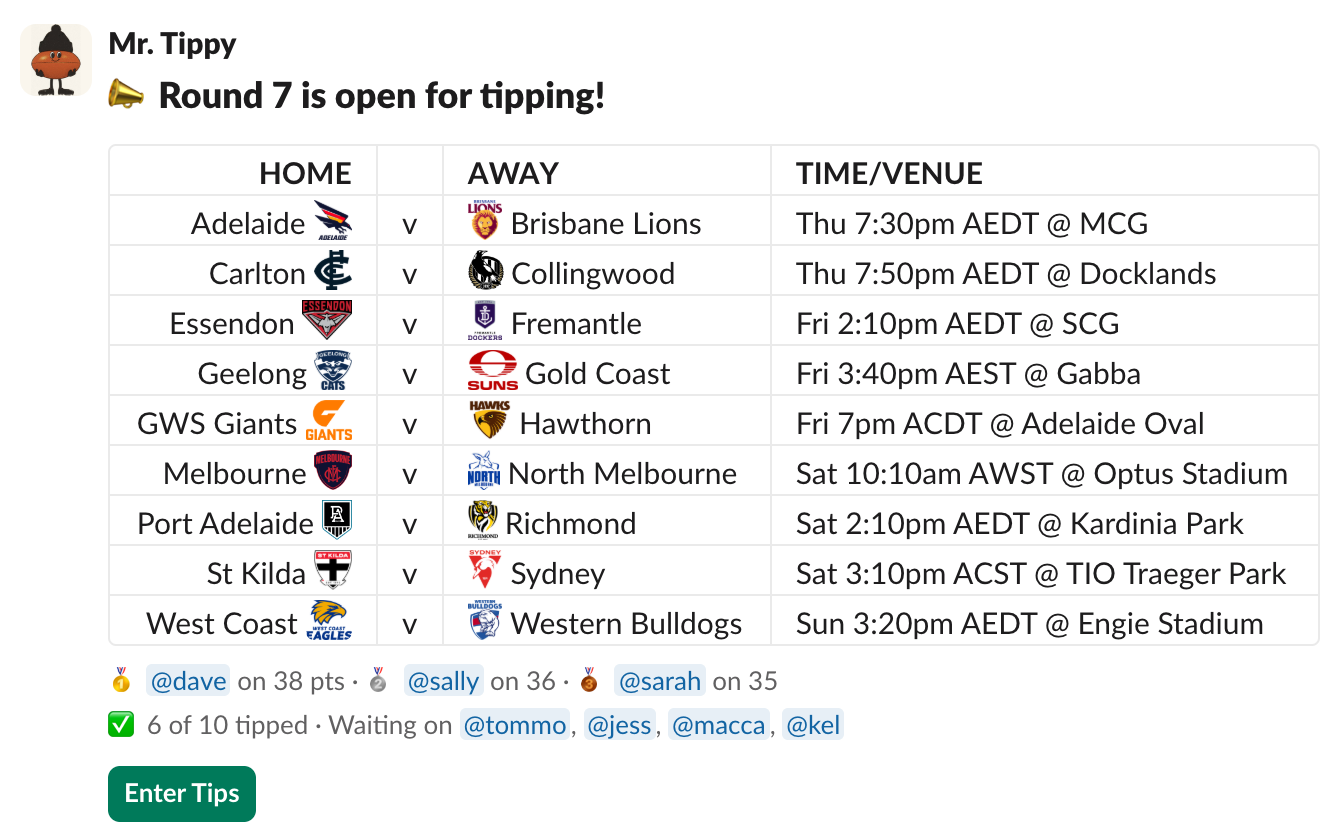
Fixtures land in your channel each round
Mr. Tippy posts the full fixtures of each round into a dedicated slack channel and keeps track of who's tipped and who's in the lead. Round reminders and auto-tipping help make sure no one misses out.
Tips Entered
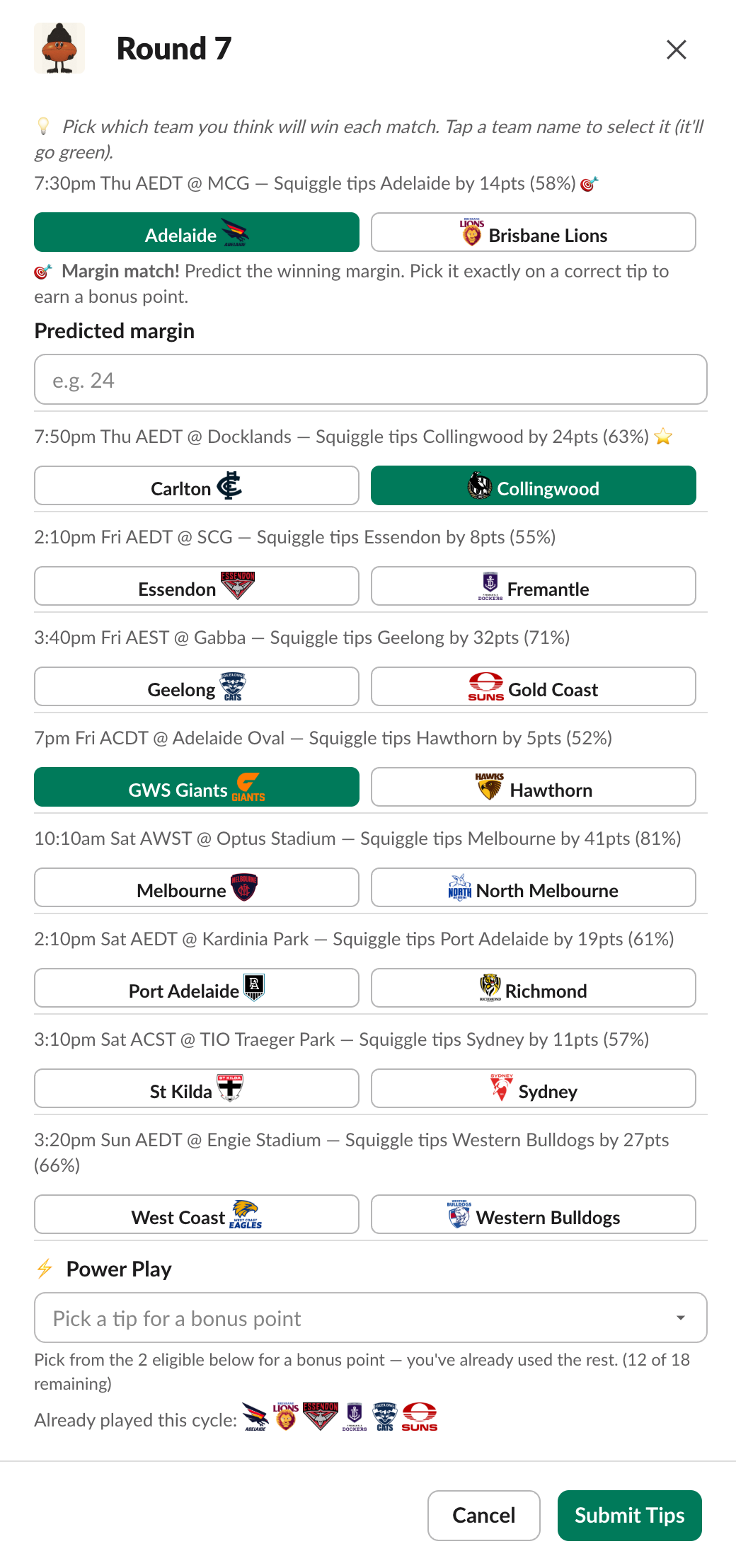
Enter tips without leaving Slack
By clicking Enter Tips, each competitor selects their picks for the round without having to leave Slack. Squiggle predictions help guide players, and margin matches and Power Plays score bonus points.
Leaderboard
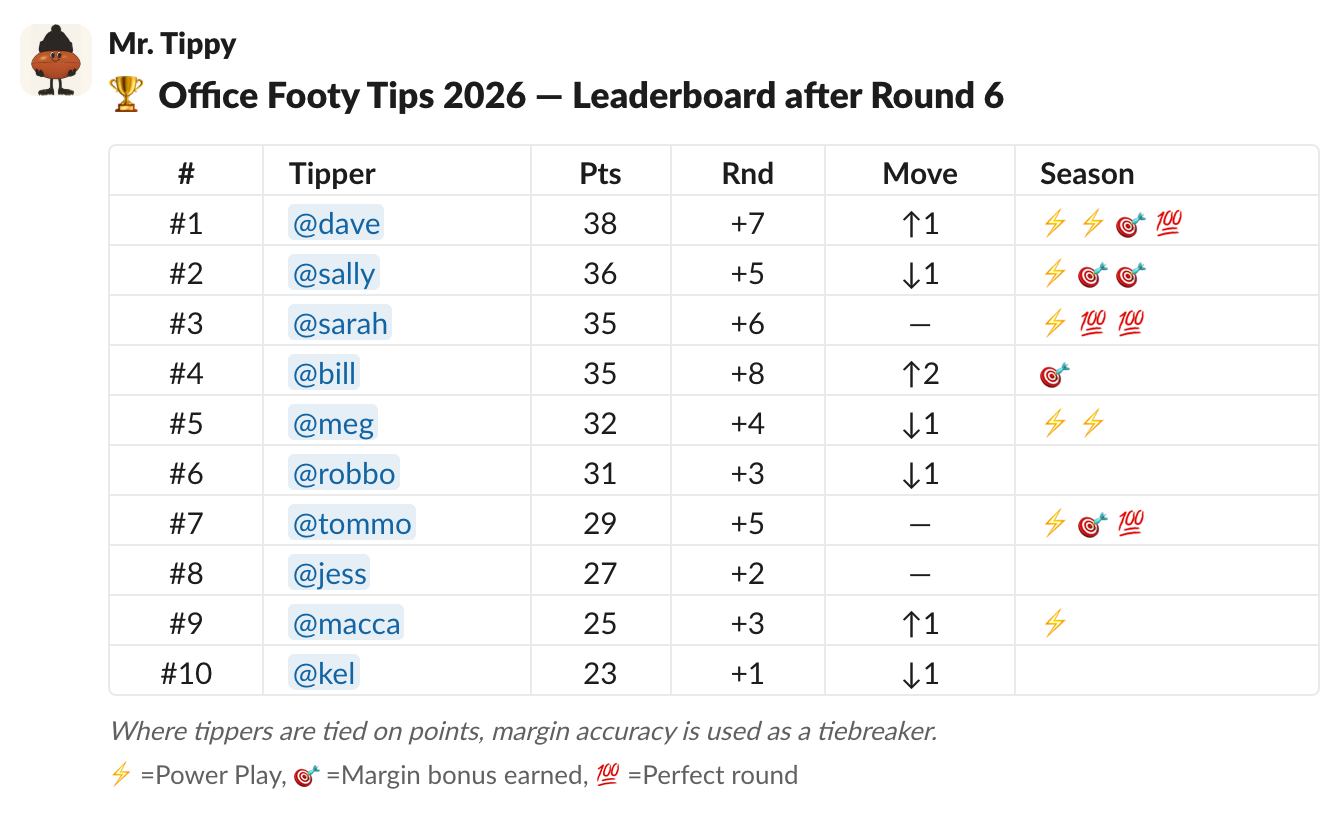
Keep track of who's on top
Mr. Tippy posts the updated leaderboard after each round, allowing players to easily track points, rank movement and bonus points won.
END OF SEASON
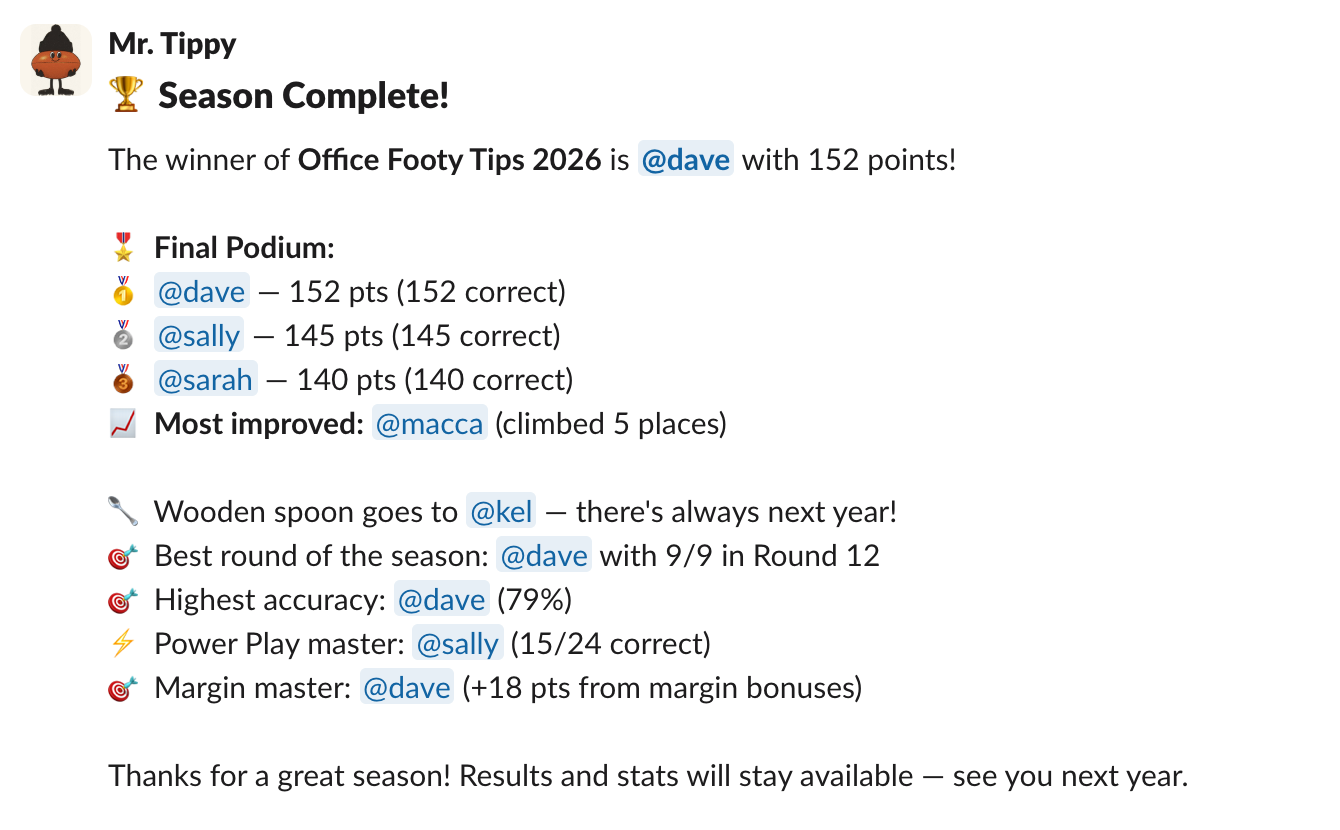
A proper end of season wrap-up
At the end of each season, get a full break down of the final podium and stats including most improved player, best round of the season and highest accuracy. Players can also track personal stats during the season.
How it works
Add to Slack
Click Add to Slack and approve the permissions. Quick installation guided through each step.
Start a game
Start a new Mr. Tippy game in an existing or new channel. Personalise gameplay settings and create multiple games with different teams and features.
Invite your colleagues and get tipping
Anyone who joins the channel gets a prompt to join the comp. Tips open automatically each round and reminders and auto-tipping makes sure no one is left behind.
AFL Season 2026 is underway.
It's not too late to start a comp.